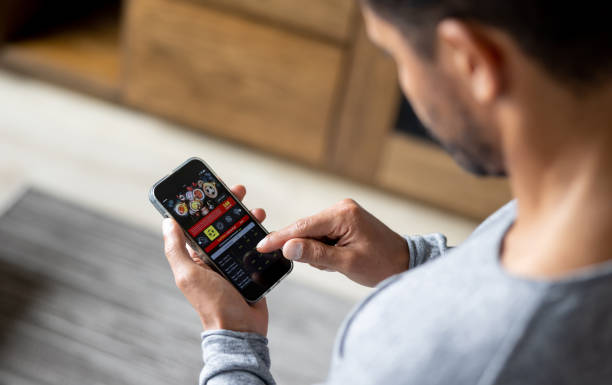
how do you adjust touch sensitivity in android games?
Mobile gaming depends heavily on accurate touch controls. Whether you are playing action games, racing titles, strategy games, or using apps like 688Win Game APK, the way your screen responds to your fingers can affect your entire experience.
If taps feel delayed, movements feel too fast, or controls do not respond properly, adjusting touch sensitivity can make gameplay smoother and more comfortable.
Understanding touch sensitivity settings helps players get better control without needing expensive accessories. Android devices offer several ways to improve touch response, from built-in display options to game-specific settings. This guide explains the methods clearly so even beginners can adjust their device for better gaming performance.
Touch Sensitivity in Android Games
Touch sensitivity refers to how quickly and accurately your phone detects finger movements and taps. A higher sensitivity level can make the screen react faster, while lower sensitivity can prevent accidental touches.
Different games require different touch settings. Fast-paced shooting games may need quick reactions, while puzzle or casual games might work better with balanced sensitivity. Players using 688Win Game APK or similar mobile platforms can benefit from finding settings that match their playing style.
Why Adjusting Touch Sensitivity Matters
A properly adjusted touchscreen can improve accuracy and reduce frustration. When sensitivity is too low, players may experience delayed actions. When it is too high, small movements may create unwanted commands.
For competitive gaming, response speed is important. A small improvement in touch accuracy can help with aiming, navigation, and quick button presses. Adjusting sensitivity can also make longer gaming sessions more comfortable by reducing unnecessary finger movement.
Check Your Android Phone Settings
Enable Touch Sensitivity Options
Many Android phones include a built-in option to increase touch sensitivity. This feature is especially useful for people who use screen protectors because some protectors reduce touch response.
To find this option, open your phone settings and search for terms such as "Touch Sensitivity," "Increase Touch Sensitivity," or "Screen Sensitivity." The exact location depends on your phone brand and Android version.
Samsung devices, for example, often include a Touch Sensitivity option under display settings. Turning it on can improve screen response for gaming and everyday use.
Update Your Android Software
Software updates often include improvements for touchscreen performance. An outdated operating system may cause delays or inaccurate touch detection.
Check for system updates regularly. A newer Android version may improve how your device handles touch input, which can benefit games such as 688Win Game APK and other applications requiring quick responses.
Adjust Settings Inside Android Games
Look for Sensitivity Controls
Many Android games provide their own sensitivity settings. These controls are usually found in the game menu under settings, controls, or gameplay options.
Common sensitivity options include camera movement, aiming speed, touch response, and control layout. Increasing these settings may help with faster movements, while lowering them can provide more precision.
Customize Control Layouts
Some games allow users to move buttons, change their size, or adjust their position. A comfortable layout reduces mistakes and helps your fingers reach important controls quickly.
Players using 688Win Game APK should explore available control options if the application provides customization features. A personalized setup can create a smoother experience.
Improve Touch Response Through Android Features
Remove Unnecessary Background Apps
Too many apps running in the background can slow down your phone. Although they do not directly change touch sensitivity, they can create delays between your touch and the game's reaction.
Before playing, close apps you do not need. This frees memory and allows the game to receive input more quickly.
Turn On Game Mode
Many Android phones have a gaming mode that improves performance. Game modes may reduce notifications, prioritize system resources, and optimize touch response.
If your phone includes this feature, enable it before launching games. This can create a more stable experience for demanding games and applications like 688Win Game APK.
Use the Right Screen Protector
A screen protector can affect touch performance. Thick or poor-quality protectors may reduce sensitivity and make taps less accurate.
Choose a high-quality protector designed for your phone model. If touch problems continue after installation, check whether the protector is causing the issue.
Keep Your Screen Clean
A dirty or oily screen can reduce touch accuracy. Fingerprints, dust, and moisture may interfere with the phone's ability to detect movements.
Clean your screen regularly with a soft cloth. A clean display allows your fingers to move smoothly and improves overall control during gaming.
Advanced Tips for Better Gaming Touch Control
Adjust Display and Performance Settings
Some Android phones allow users to change performance modes. Selecting a high-performance option can improve overall responsiveness.
Reducing unnecessary visual effects may also help older devices run games more smoothly. Better performance can make touch actions feel more immediate.
Practice With Different Sensitivity Levels
There is no single perfect sensitivity setting for every player. Your ideal setup depends on your device, game type, and personal comfort.
Test different levels and make small changes. For example, increase sensitivity slightly, play for a while, and decide whether the controls feel better. This approach works well for many games, including 688Win Game APK.
Avoid Overheating Your Device
Heat can reduce phone performance and create input delays. Long gaming sessions may cause your device to slow down.
Take breaks, avoid playing while charging when possible, and keep your phone in a cool environment. A cooler device usually provides more consistent touch performance.
Common Touch Sensitivity Problems and Solutions
Touch Delay
If your screen reacts slowly, restart your phone, close background apps, and check for software updates. These simple steps often solve minor performance issues.
Unresponsive Areas of the Screen
If certain areas do not respond, the problem may be related to hardware damage, screen protectors, or software problems. Testing the screen with another app can help identify the cause.
Accidental Touches
If your phone reacts too easily, reduce in-game sensitivity or adjust your control layout. A balanced setting prevents unwanted movements while maintaining good speed.
Choosing the Best Settings for Different Games
Action and shooting games usually benefit from higher sensitivity because quick reactions are important. Racing games may require balanced settings for smooth steering. Strategy games often need accurate tapping rather than maximum speed.
When playing 688Win Game APK, experiment with available settings to find a comfortable balance. The best configuration is the one that feels natural and allows accurate control.
Many players also compare device performance before choosing their preferred setup. With 688Win Game APK, smooth touch response and proper adjustments can help create a more enjoyable experience.
Conclusion
Adjusting touch sensitivity in Android games can greatly improve your mobile gaming experience. The process does not require advanced technical knowledge. By changing phone settings, exploring in-game options, keeping your device optimized, and using quality accessories, you can create better controls.
Every player has different preferences, so testing various sensitivity levels is important. A setting that works perfectly for one person may feel uncomfortable for another. Take time to adjust your device and create a setup that matches your gaming habits.
Whether you enjoy casual games or more competitive experiences with apps like 688Win Game APK, improved touch response can make gameplay smoother and more enjoyable. A well-adjusted touchscreen helps you react faster, play comfortably, and get more control from your Android device.
Using 688Win Game APK with carefully adjusted touch settings allows players to focus more on gameplay rather than control problems. These small improvements can make a noticeable difference during regular gaming sessions. Many Android users find that 688Win Game APK performs better when touch options are personalized. The right setup for 688Win Game APK can support comfortable and responsive play.